FREE TEMPLATE GUIDE · INVOICES & RECEIPTS
Freelance invoice tracker: separate billed, received and outstanding amounts.
A useful invoice log records what was billed without treating it as cash already received. One row should connect the invoice date, reference, client, service, billed amount, received amount and received date. The outstanding column can then show a visible arithmetic difference while the original records remain outside the spreadsheet.
Core takeaway
Keep one reference per invoice, update receipts only from your own records and reconcile the calculated differences before using a monthly summary.
1. Give every invoice a traceable row
Start with the invoice date, invoice or internal reference, client and service. Use the same reference that appears in your source file or invoicing system so a spreadsheet row can be checked without relying on memory.
Keep the invoice document, correspondence and payment evidence outside the workbook. The tracker is an index and arithmetic view of entered records; it is not the source document and does not authenticate one.
- Invoice date
- Invoice or reference
- Client
- Service or description
- Billed amount
- Notes supported by the source record
2. Separate billed, received and outstanding
Billed and received answer different questions. Enter the full billed amount in one field and the amount actually recorded as received in another. The workbook calculates outstanding as billed minus received, including a visible difference after a partial receipt.
That calculated difference does not establish a debt, payment obligation, due date or collectability. It only compares the two amounts entered in the row.
3. Update receipt details from evidence
Add a received date only when your bank, payment platform or other source record supports it. Use a consistent payment-status label such as Paid, Part paid or Unpaid to help filter the log, but treat the label as an internal workflow field.
The free workbook does not send reminders, contact clients or decide that an invoice is overdue. If you need due-date or collection workflows, keep those actions in a system and process that you have reviewed separately.
4. Review the built-in structural checks
The starter workbook flags selected amount relationships, received amounts without received dates and duplicate invoice references. Resolve each flag against the original records before reading the summary.
A PASS result means only that those structural tests found no flagged row. It does not confirm completeness, payment settlement, client identity, accounting treatment or compliance.
5. Reconcile the monthly arithmetic view
Compare the invoice log with source invoices, bank records and payment-platform records. The monthly view then separates received amounts, paid expenses and the difference calculated from the rows entered in the workbook.
Do not interpret the recorded difference as a bank balance, accounting profit, taxable income or amount available to spend. Missing or delayed entries remain missing from every summary built on the log.
6. Start with the free invoice and receipt log
The free Freelancer Bookkeeping Starter includes an INCOME sheet with invoice date, reference, client, service, billed, received, received date, outstanding, payment status, notes and two structural-check columns. It also includes expense records, monthly arithmetic summaries and a dedicated CHECKS sheet.
The paid annual workbook is a separate edition with invoice and expense rows, platform or bank fees, reporting month and quarter, planning assumptions, reconciliation checks and an annual dashboard. Compare the current product contents before purchasing; the free workbook works independently.
Educational organization and planning content only. It does not replace tax, legal, accounting, financial or technical advice where applicable.
WORKFLOW CHECKLIST
The complete routine in six steps.
- 01Assign one traceable reference to each invoice
- 02Record billed and received amounts separately
- 03Add received dates only from source records
- 04Review partial receipts and arithmetic differences
- 05Resolve duplicate and incomplete-row flags
- 06Reconcile the log before reading monthly totals
APPLY THE METHOD
Use a workbook that already connects the steps.
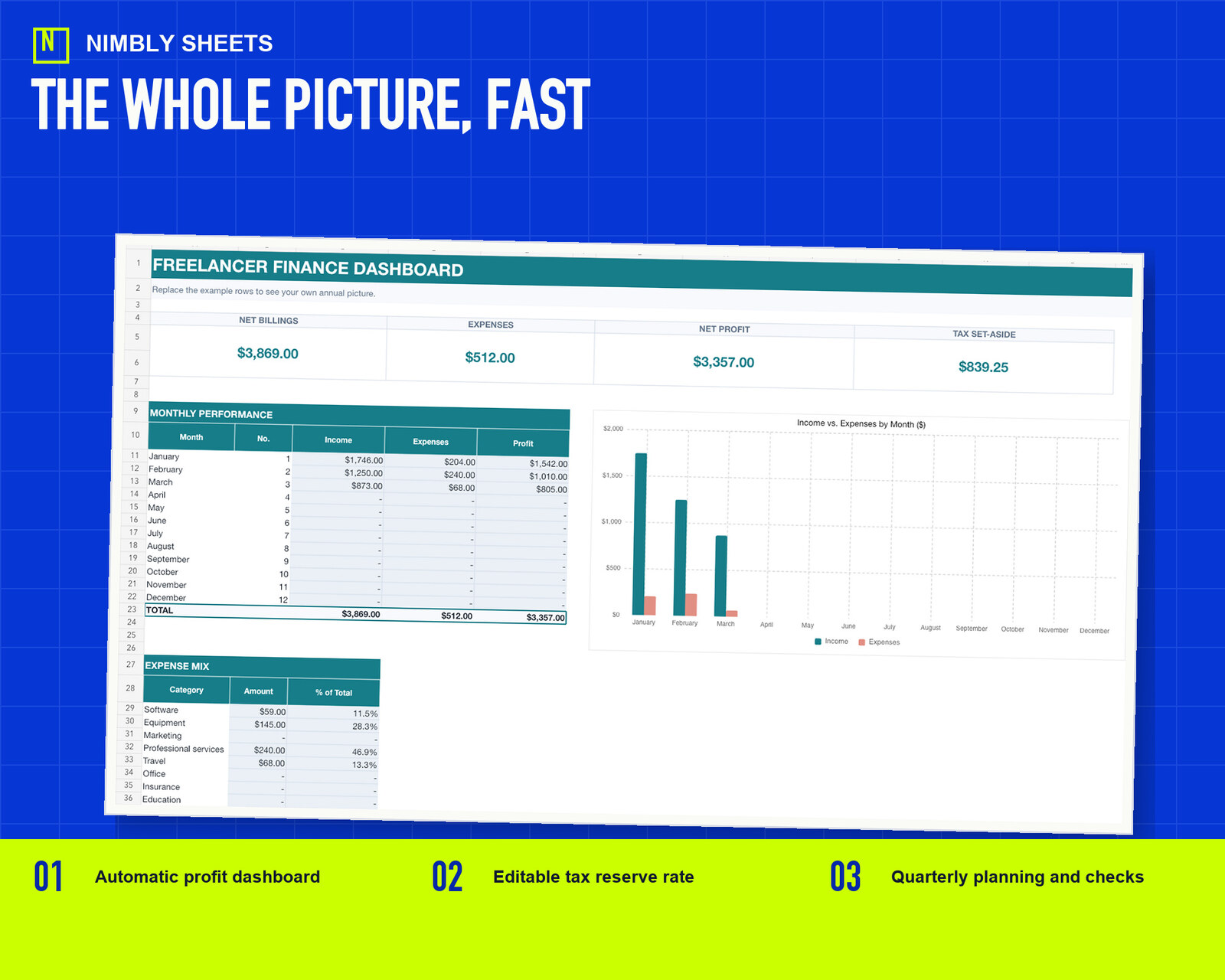
The sale combines the workbook from this guide with two other editable workbooks, three Google Sheets import guides, and a start guide in one ZIP file.
Freelancer Finance Toolkit
FREQUENTLY ASKED QUESTIONS
Before you begin.
Does the spreadsheet create or send invoices?
No. It records invoice references and amounts entered by the user. It does not generate documents, email clients or connect to an invoicing platform.
Can it record a partial payment?
Yes. Enter the received amount supported by your record; the outstanding field calculates the difference from the billed amount. The result is an arithmetic comparison only.
Does an outstanding amount prove that money is legally due?
No. The workbook does not interpret contracts, payment terms, disputes, limitation periods or enforceability and does not determine a legal obligation.
Can I use the workbook in Google Sheets?
You can import the `.xlsx` file into Google Sheets. Review formulas, dates, dropdowns and formatting after import because application behavior can vary.