PRACTICAL GUIDE · BOOKKEEPING
A useful dashboard starts with complete, reconcilable rows.
A freelance bookkeeping record is easier to trace when income, expenses and platform fees are entered consistently and reviewed on a fixed schedule. The workflow preserves the underlying transactions instead of replacing them with unexplained totals.
Core takeaway
Record one traceable transaction per row, reconcile monthly and treat tax figures as planning estimates rather than filed obligations.
1. Separate billed, received and charged
An invoice amount, cash received and platform fee answer different questions. Keep the gross amount, fee and net received visible. Include dates and a reference that connects the row to the original invoice or receipt.
- Invoice or transaction date
- Client and reference
- Gross amount
- Platform or bank fee
- Net received
- Paid status and reporting year
2. Use stable expense categories
Choose a concise set of categories and keep them stable through the year. Record vendor, date, amount and business purpose. Keep the source receipt outside the spreadsheet so every line can be substantiated.
3. Reconcile before reading the dashboard
Compare the transaction rows with bank and platform records. Resolve incomplete rows, duplicates, wrong-year entries and totals that do not reconcile. A chart is not evidence that the input is complete.
4. Use the tax set-aside as a planning pot
The workbook applies an editable planning percentage to the positive profit or cash basis selected by the user. It keeps that calculated amount separate from operating cash. Applicable tax treatment varies by jurisdiction and circumstances and is not determined by the workbook.
Educational organization and planning content only. It does not replace tax, legal, accounting, financial or technical advice where applicable.
WORKFLOW CHECKLIST
The complete routine in six steps.
- 01Set the reporting year
- 02Replace example rows
- 03Record gross, fees and net separately
- 04Categorize every business expense
- 05Reconcile monthly
- 06Review quarterly estimates with current guidance
APPLY THE METHOD
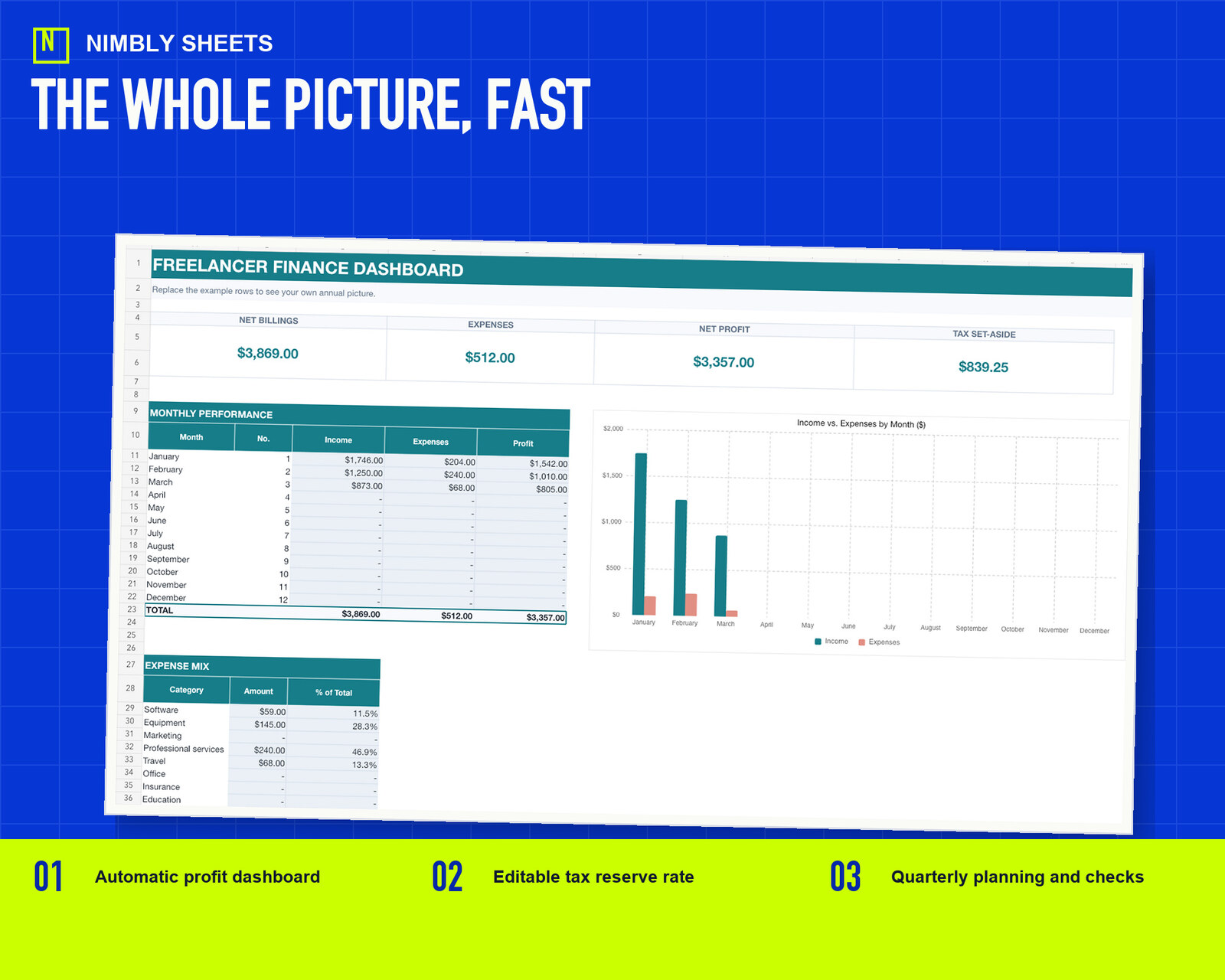
Use a workbook that already connects the steps.
The sale combines the workbook from this guide with two other editable workbooks, three Google Sheets import guides, and a start guide in one ZIP file.
Freelancer Finance Toolkit
FREQUENTLY ASKED QUESTIONS
Before you begin.
Can a spreadsheet replace accounting software?
It can organize a straightforward freelance workflow, but complexity, local rules or reporting requirements may justify professional software or advice.
Does the workbook keep invoice and payment information separate?
Yes. It provides separate fields because invoices and cash receipts answer different operational questions. It does not determine the reporting basis that applies to a user.
Does the workbook file tax returns?
No. It supports recordkeeping and planning only.