Start here
Five setup steps plus explicit scope and interpretation limits.
FREE EXCEL WORKBOOK
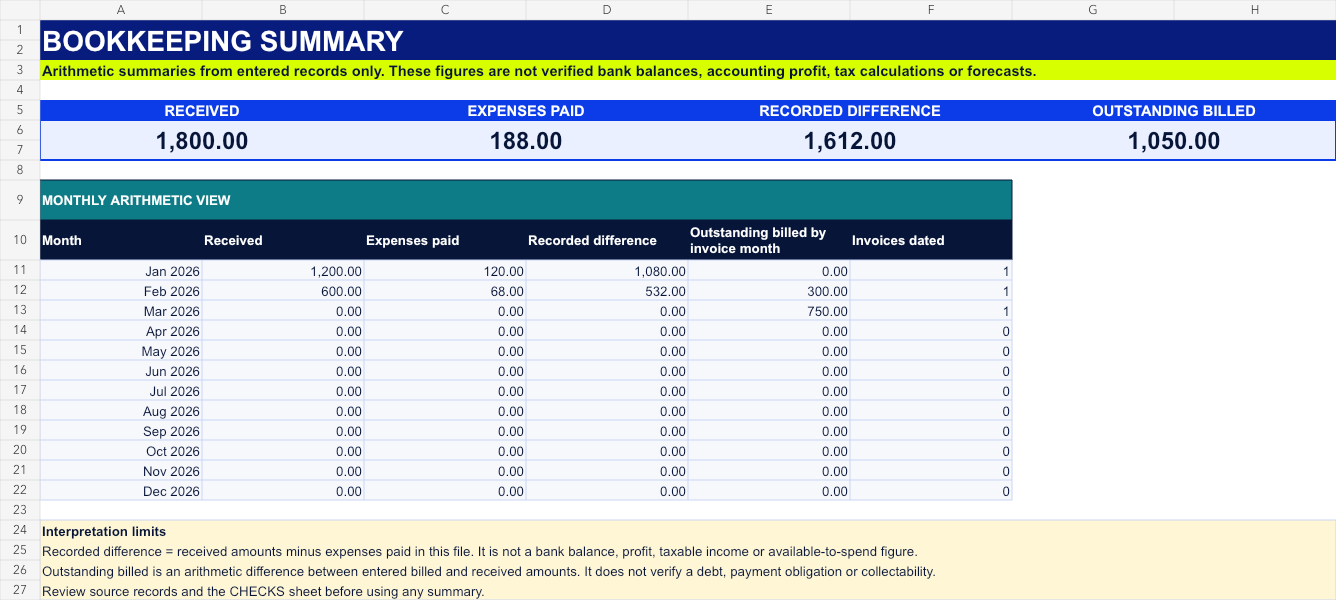
Record user-entered invoices, billed amounts, received amounts and paid expenses in a connected six-sheet workbook.
The direct download does not ask for a name, email address, phone number, account or payment details.
WHAT THE FILE CONTAINS
Yellow cells hold editable entries. Blue cells contain formulas. Fictional examples show the expected structure and are intended to be replaced.
Five setup steps plus explicit scope and interpretation limits.
Invoice date, reference, client, service, billed, received, received date and notes.
Paid date, vendor, editable category label, description, amount, payment-method label and reference.
Arithmetic totals, a monthly view and selected missing-date, duplicate-reference and amount-relationship checks.
FOUR STEPS
OPTIONAL PAID WORKBOOKS
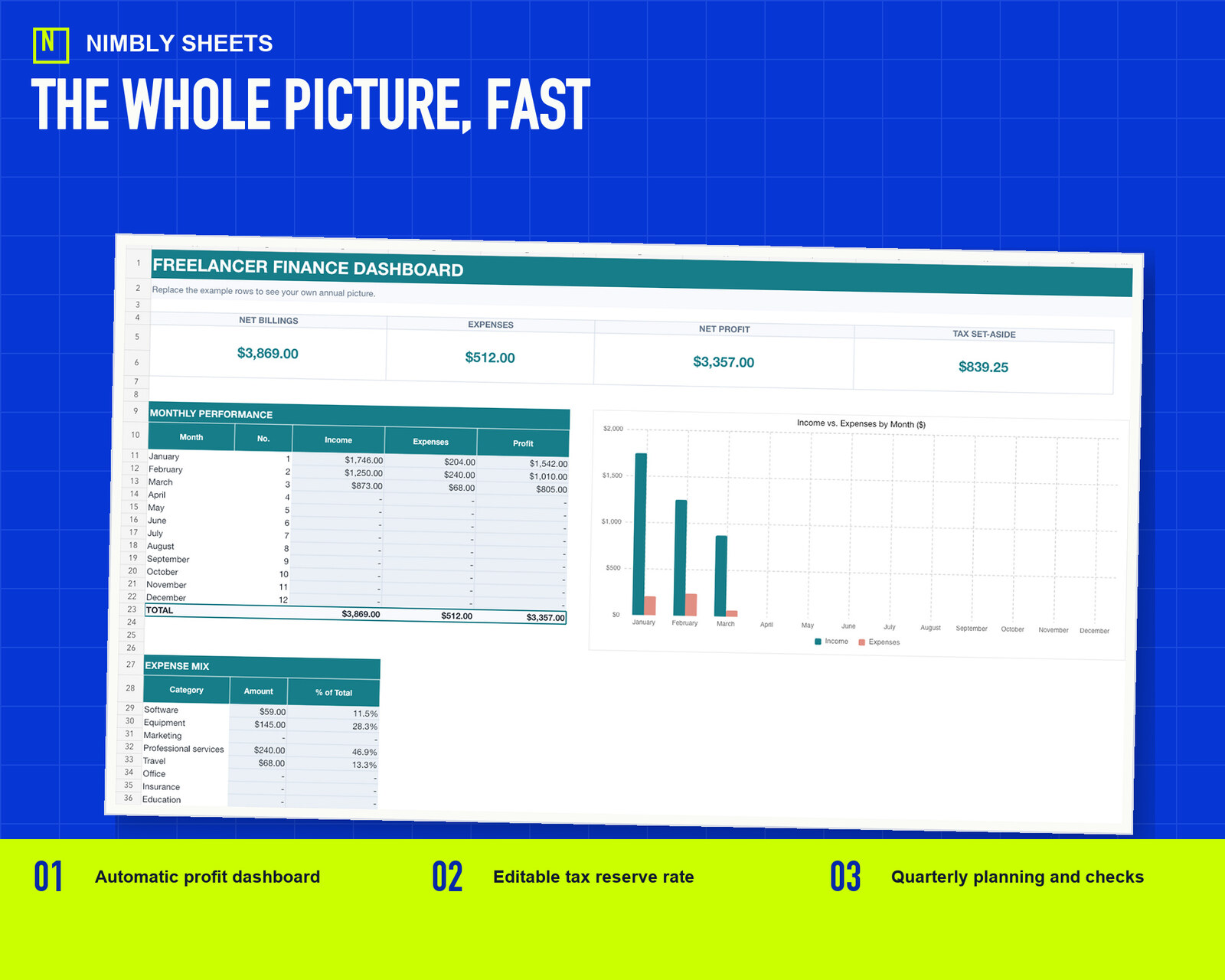
The paid bookkeeping workbook adds an annual dashboard, quarterly planning estimates and additional checks. The finance toolkit combines three editable workbooks. Each remains a general tool using user-entered records and editable assumptions.
FREQUENTLY ASKED QUESTIONS
Yes. The direct download is a macro-free .xlsx file and does not require checkout, an account or payment details.
It provides 50 income rows and 100 expense rows for user-entered dates, references, descriptions, billed amounts, received amounts and paid expenses.
No. It applies arithmetic formulas and selected structural checks to the values entered by the user. It does not connect to or verify external records.
No. It does not determine tax treatment, deductibility, compliance, profitability, suitability or business results, and it does not file forms or provide tax, legal, accounting, financial, employment or commercial advice.
Yes. The .xlsx file can be imported into Google Sheets. Formatting and formulas should be reviewed after any import or conversion.
Direct .xlsx delivery, macro-free and no checkout.
Download the free .xlsx