PRACTICAL GUIDE · RETAINER RECORDS
Track retainer hours without turning capacity scenarios into prescribed targets.
A useful retainer record separates the client, the commercial record and the dated time entry. Monthly summaries can then be calculated from stable IDs, while capacity remains an editable scenario rather than a promise about workload, pricing or income.
Core takeaway
Create client and retainer IDs, log dated time on individual rows, and label every capacity figure as a user-entered arithmetic scenario.
1. Separate client and retainer records
Create one client table and one retainer table. Give each record a stable ID and store the entered fee, included hours, start and end dates, and internal status without repeatedly typing the same details in the time log.
The workbook stores the commercial record you enter. It does not interpret a contract, decide employment status, establish entitlement or verify that an amount or term is correct.
- Client ID
- Retainer ID
- Entered fee and included hours
- Entered dates
- Internal status and note
2. Log time as dated source rows
Use one row per dated time entry with the client ID, retainer ID, description and entered hours. This makes monthly totals reproducible and keeps adjustments visible.
Avoid storing passwords, access tokens, sensitive client documents or unnecessary personal information in the time description. A general tracker is not a secure credential or case-management system.
3. Keep entered hours and capacity scenarios distinct
Entered time describes rows already added to the log. Capacity uses assumptions such as working days, hours per day and a chosen allocation percentage. Display them in separate sections and make every assumption visible and editable.
A remaining-hours or available-capacity figure does not prescribe workload, confirm availability or predict delivery. It is arithmetic based on the current entries and assumptions.
4. Review monthly summaries by stable ID
Aggregate entered hours and fees by month, client and retainer ID. Show unmatched IDs, duplicate records and blank dates before presenting a dashboard total.
Comparisons between entered fee and hours do not determine a suitable rate, profitability, fairness or contract compliance. They are internal records for further review.
5. Close the month with source checks
Review missing dates, zero or negative entries, duplicate IDs, time rows without a retainer and totals that differ from the underlying source. Correct the source row rather than overwriting the dashboard.
Preserve any external invoice, agreement or time-approval record outside the spreadsheet. A PASS check confirms only the internal condition described.
Educational organization and planning content only. It does not replace tax, legal, accounting, financial or technical advice where applicable.
WORKFLOW CHECKLIST
The complete routine in six steps.
- 01Create client IDs
- 02Create retainer IDs
- 03Enter one dated time row per record
- 04Keep capacity assumptions visible
- 05Review monthly totals by ID
- 06Resolve duplicates and unmatched rows
APPLY THE METHOD
Use a workbook that already connects the steps.
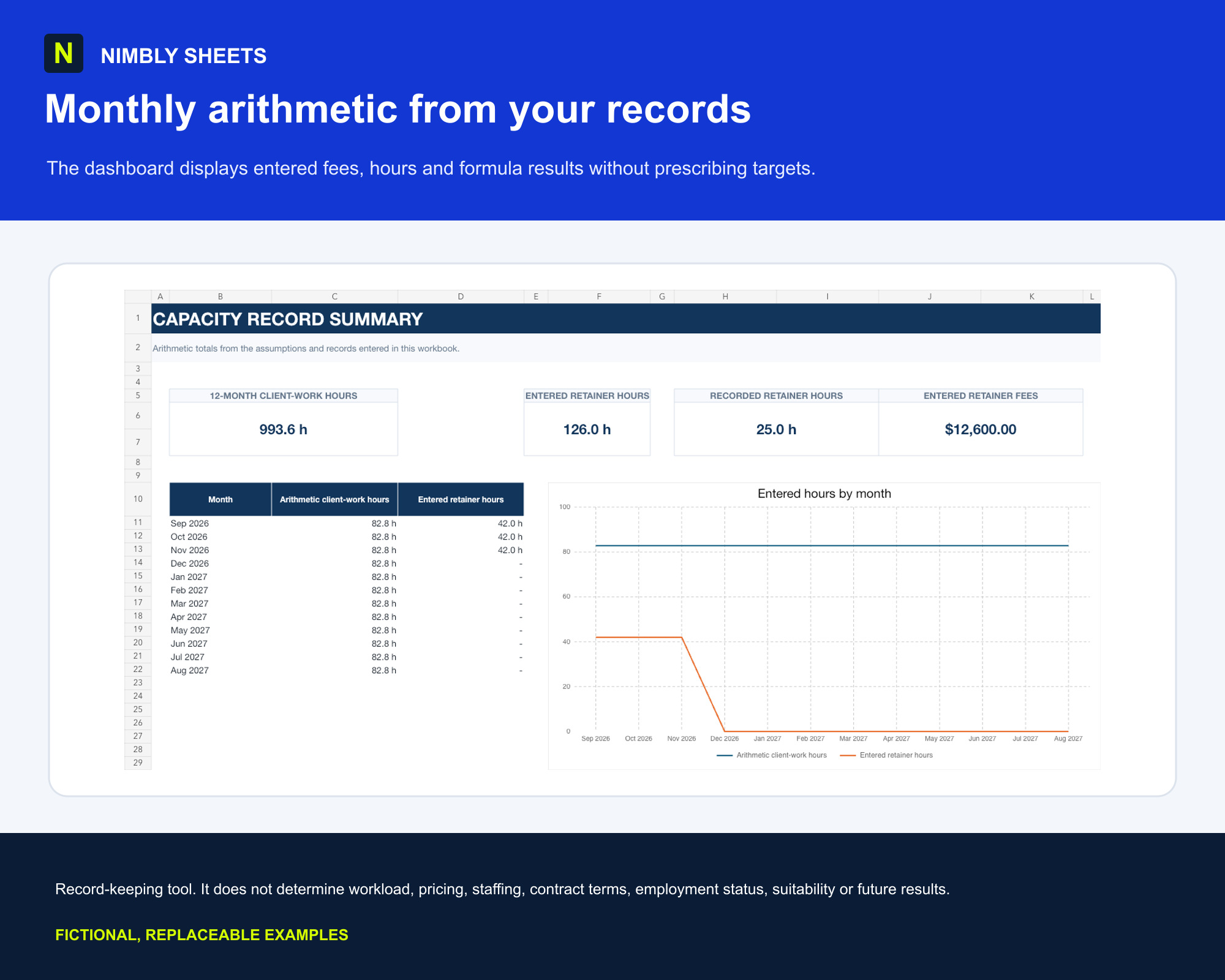
The template turns this method into editable inputs, checks and summaries with realistic example rows.
Freelancer Capacity & Retainer Planner
FREQUENTLY ASKED QUESTIONS
Before you begin.
Does the planner tell me how many clients I should take?
No. Capacity is an editable arithmetic scenario, not a prescribed workload or business recommendation.
Can it decide my retainer price?
No. It records entered fees and hours but does not determine a suitable price, margin, contract term or income outcome.
Can I track time by client and retainer?
Yes. Stable client and retainer IDs connect dated time rows to monthly arithmetic summaries.
Should I store client credentials in it?
No. Do not place passwords, access tokens or other secrets in a general spreadsheet. Keep descriptions minimal and appropriate for internal records.