PRACTICAL GUIDE · CRAFT FAIRS
A busy market is not automatically a profitable event.
Gross sales can make an event look successful while booth, travel, lodging, payment fees and product cost absorb most of the revenue. A useful event record connects sales to inventory and assigns every direct event cost before calculating profit and return.
Core takeaway
Record stock brought and sold, capture every event cost, calculate profit after COGS and compare completed events with the same ROI method.
1. Create the event before loading inventory
An event row stores an ID, date, location, status, booth fee, travel, lodging and other entered fixed costs. Reusing that ID on sale rows connects them to the recorded event.
2. Track units brought, sold and remaining
Use SKU-level starting stock and event sales to calculate units sold and sell-through. Revenue without units cannot explain what inventory mix worked.
3. Calculate profit after product and event costs
Subtract cost of goods sold, payment fees and fixed event costs from revenue. Keep tax and owner labor assumptions explicit if you include them in the analysis.
4. Compare completed events with one ROI definition
Define ROI consistently, such as event profit divided by direct event operating costs. Use it with absolute profit and sell-through; one metric alone can favor small or large events unfairly.
Educational organization and planning content only. It does not replace tax, legal, accounting, financial or technical advice where applicable.
WORKFLOW CHECKLIST
The complete routine in six steps.
- 01Assign an event ID
- 02Record all fixed costs
- 03Load SKU-level starting stock
- 04Log every sale
- 05Subtract COGS and payment fees
- 06Compare profit, sell-through and ROI
APPLY THE METHOD
Use a workbook that already connects the steps.
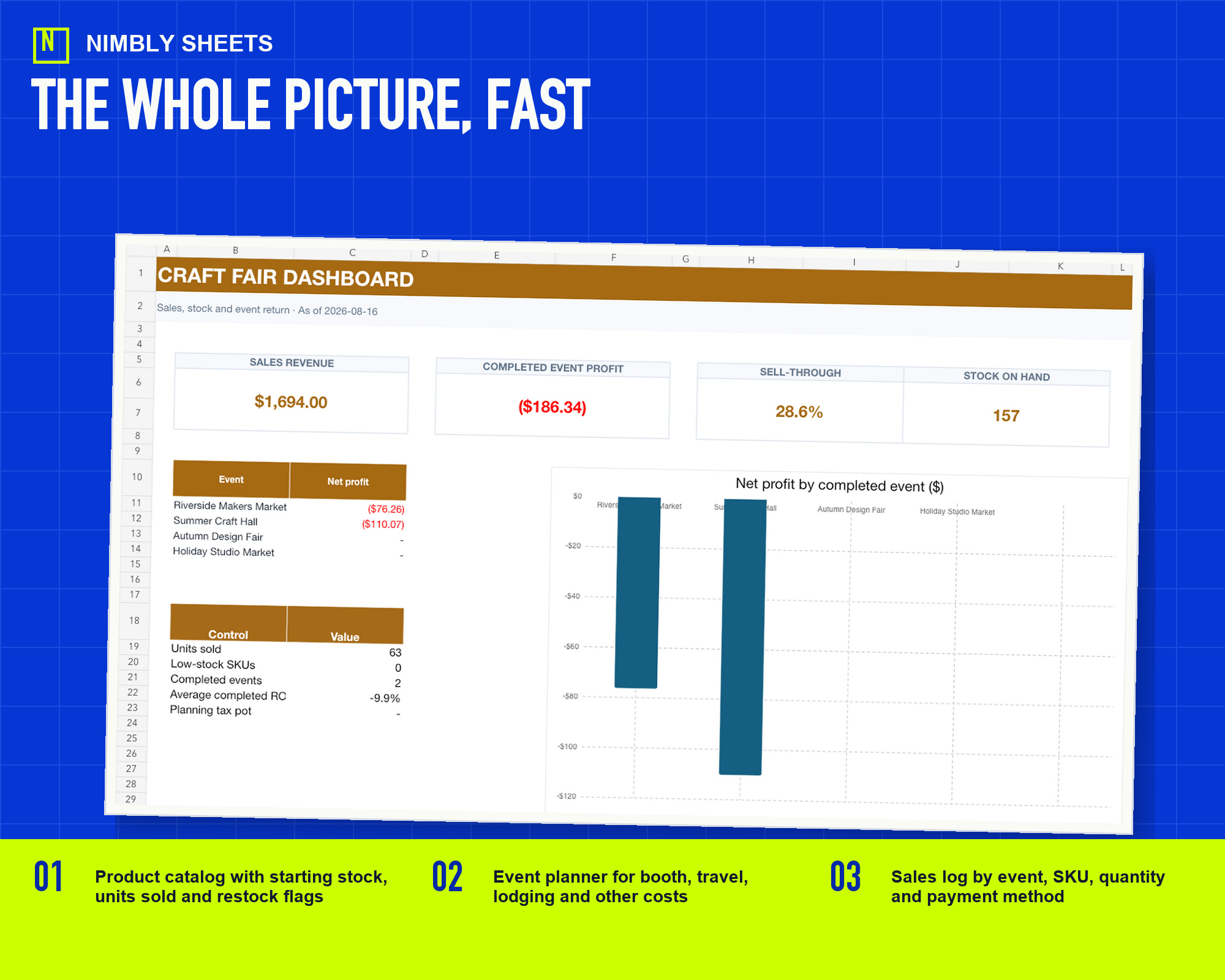
The template turns this method into editable inputs, checks and summaries with realistic example rows.
Craft Fair Sales, Inventory and Event ROI
FREQUENTLY ASKED QUESTIONS
Before you begin.
Which entered amounts does the event formula use?
It uses booth, travel, lodging, event-specific services, product cost and payment fees when those amounts are entered. It does not determine accounting or tax classification.
Does a high ROI identify the most suitable event?
No. A small event can have high ROI and low absolute profit. The workbook displays profit, ROI and sell-through separately and does not select an event.
Does the event calculation include labor automatically?
No. Any labor amount is a user-entered internal assumption and does not determine payroll, employment or tax treatment.