PRACTICAL GUIDE · CLEANING BUSINESS
A full schedule and calculated job margin are different measures.
Job profitability depends on more than the customer price. Labor time, supplies, travel, payment fees and unrecorded expenses can make similar jobs produce very different results. A job ID connects the service log and the transaction ledger without mixing operational and cash views.
Core takeaway
Record every job, value labor consistently, allocate direct cash costs and compare completed services before changing prices or accepting recurring work.
1. Record the service before the money
Each job row can store date, customer, service type, status, quoted revenue, labor hours and miles. A stable Job ID keeps later payment entries connected to the same recorded job.
2. Separate labor, supplies and travel
Multiply labor hours by an internal hourly cost, allocate supplies used and apply a documented mileage or travel assumption. Keeping these costs separate shows why one service type outperforms another.
3. Reconcile cash income and expenses
Use a transaction ledger for received income and paid expenses. Link client income to valid jobs, but do not count the same revenue twice in both the job and cash views.
4. Compare only completed jobs on service margin
Incomplete jobs can still accumulate time and cost. Use completed work for final service comparisons and keep active jobs visible as interim estimates.
Educational organization and planning content only. It does not replace tax, legal, accounting, financial or technical advice where applicable.
WORKFLOW CHECKLIST
The complete routine in six steps.
- 01Create a job ID
- 02Record service and status
- 03Log labor hours
- 04Allocate supplies and travel
- 05Reconcile cash transactions
- 06Compare completed-job margin
APPLY THE METHOD
Use a workbook that already connects the steps.
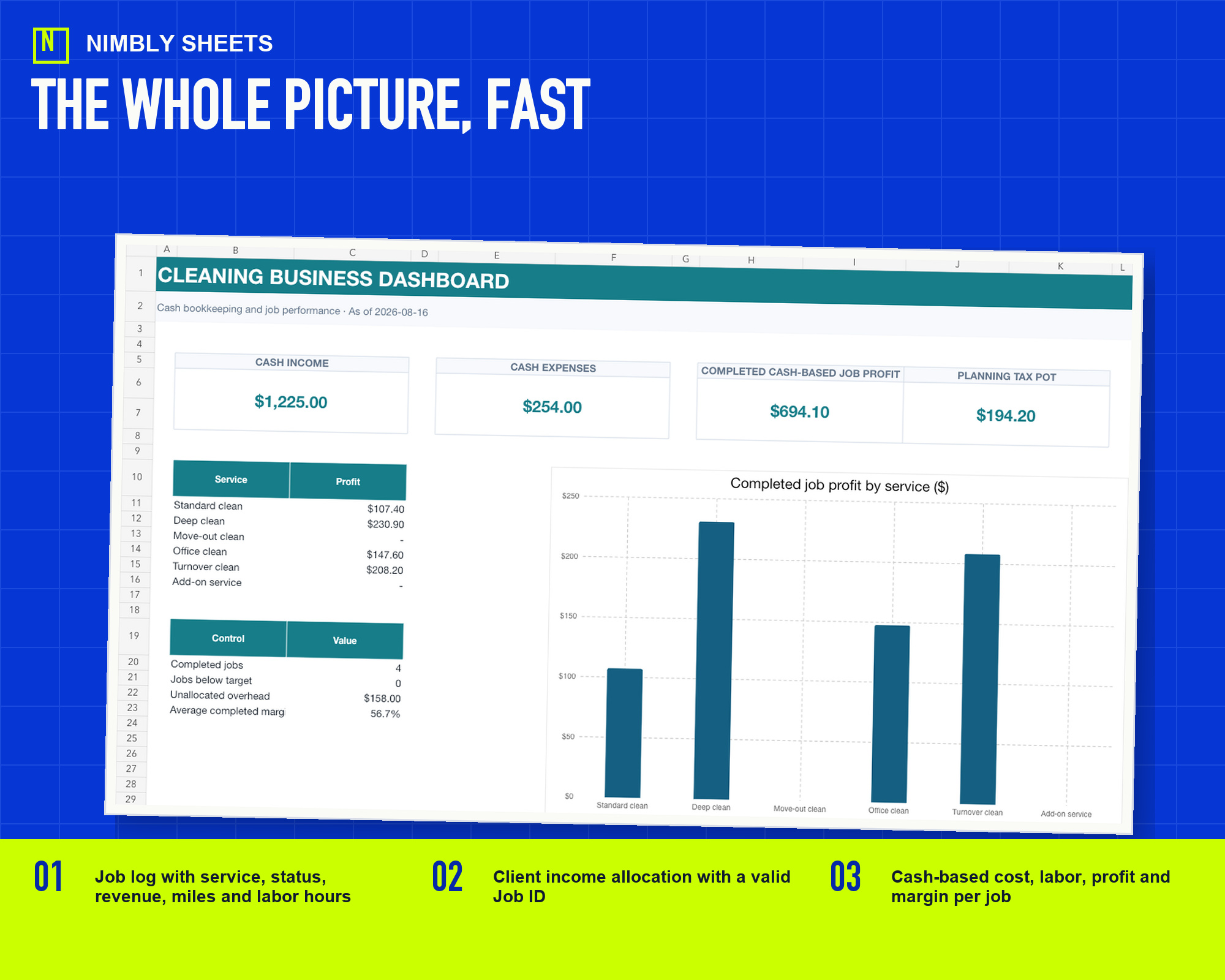
The template turns this method into editable inputs, checks and summaries with realistic example rows.
Cleaning Business Bookkeeping and Job Profit
FREQUENTLY ASKED QUESTIONS
Before you begin.
Does the workbook assign a cost to owner time?
No. It applies the internal hourly assumption entered by the user. That value is not payroll, compensation, employment or tax treatment.
Does the workbook apply an official mileage rate?
No. It applies the planning amount entered by the user and does not determine tax, reimbursement or employment treatment.
Does the spreadsheet replace accounting software?
No. It is an internal bookkeeping and profitability tool. Your legal, tax, payroll and regulatory requirements may need other systems or professional advice.