PRACTICAL GUIDE · SMALL WEDDING RECORDS
A micro-wedding budget spreadsheet that keeps every total connected to its source rows.
A small guest list does not remove the need to separate quotes, commitments and payments. The clearest workbook keeps budget items, supplier details, payment movements and guest replies in distinct tables, then calculates summaries from those entered records.
Core takeaway
Give every budget item and supplier an internal ID, log each payment on its own row, and treat dashboard totals as arithmetic from the entries—not as verified prices, availability or affordability guidance.
1. Start with one row per budget item
Create a stable item ID before adding estimates or supplier details. Keep category, description, planned amount, quoted amount, committed amount and notes in separate columns so later changes do not erase the earlier record.
A total is only as complete as the rows entered. Label every summary as calculated from the workbook and keep the original quote or source document outside the file for reference.
- Internal item ID
- Category and description
- Planned amount entered
- Quoted or committed amount entered
- Status and source note
2. Maintain suppliers in a separate table
A supplier record can hold an internal supplier ID, service category, contact channel, quote reference and current status. Connect the supplier to budget items using IDs instead of repeatedly typing names into every table.
The spreadsheet cannot assess a supplier, service, contract or quote. Record only information you have checked and use the source document for any decision.
3. Log each payment without overwriting the commitment
Deposits, instalments and final payments should occupy separate rows with the item ID, entered date, entered amount and payment note. The committed amount remains in the budget table while the payment table records movements.
Comparing committed and paid amounts produces an arithmetic difference. It does not confirm that an amount is due, correctly invoiced, refundable or contractually valid.
- One row per movement
- Item and supplier references
- Entered date and amount
- Movement status
- Source or receipt note
4. Keep guest replies minimal and separate
For planning counts, use an internal guest label, household, reply status and party size. Avoid storing identity documents, health information, payment details or other sensitive data in a general budgeting workbook.
The guest table supports counts only. It does not send invitations, confirm attendance or replace a dedicated guest-management or accessibility process.
5. Review checks before reading the dashboard
Look for duplicate IDs, payments without a matching item, missing dates, missing amounts and unexpected differences between tables. Correct the source row first and then review the recalculated dashboard.
A clean checks sheet confirms only that the listed structural tests passed. It does not verify external documents, supplier performance, event feasibility or the completeness of the plan.
Educational organization and planning content only. It does not replace tax, legal, accounting, financial or technical advice where applicable.
WORKFLOW CHECKLIST
The complete routine in six steps.
- 01Create stable item IDs
- 02Separate supplier records
- 03Log one payment per row
- 04Keep commitments and payments distinct
- 05Minimize guest data
- 06Resolve structural checks before reading totals
APPLY THE METHOD
Use a workbook that already connects the steps.
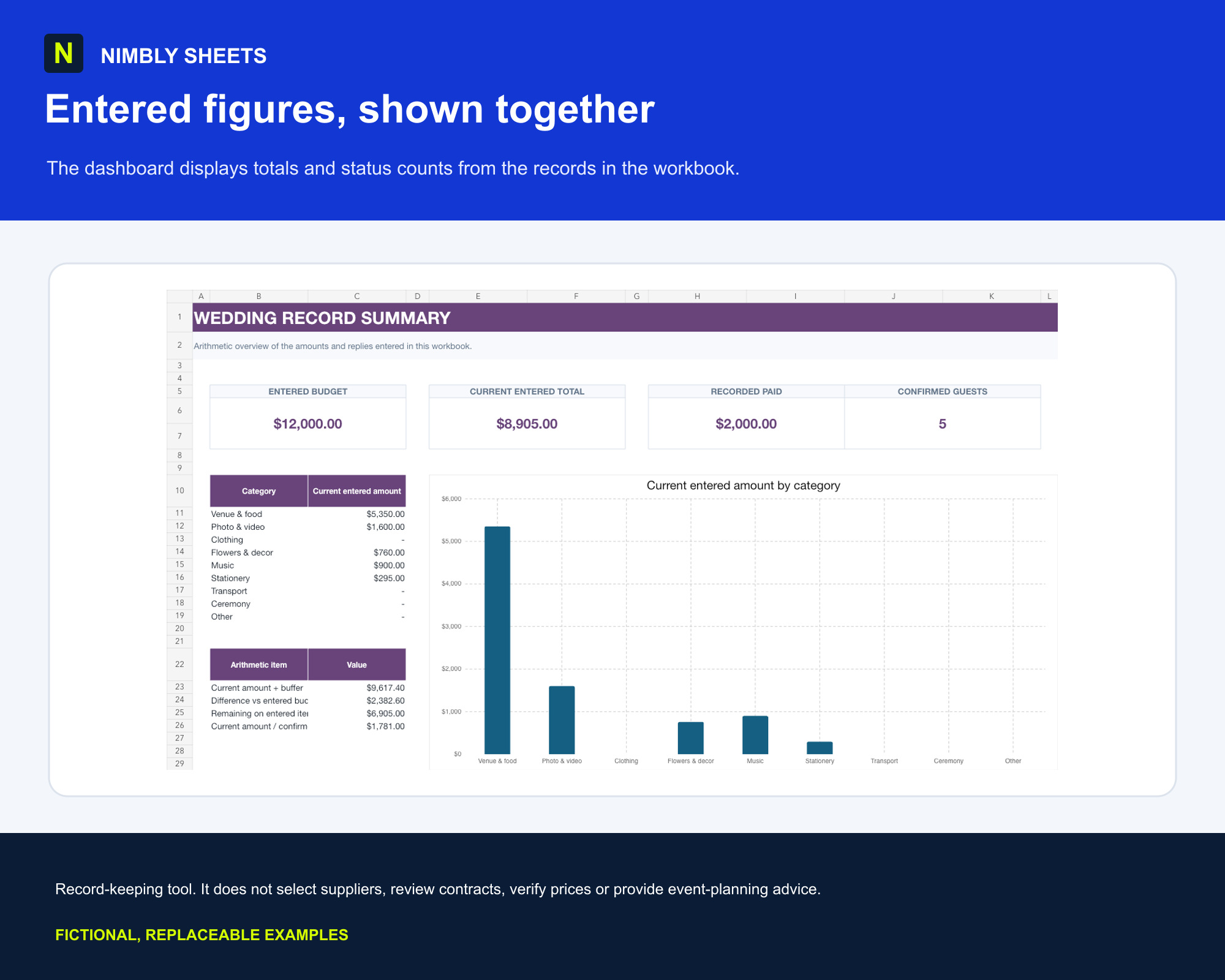
The template turns this method into editable inputs, checks and summaries with realistic example rows.
Micro-Wedding Budget Planner
FREQUENTLY ASKED QUESTIONS
Before you begin.
Can I use the spreadsheet for deposits and instalments?
Yes. Record each entered movement on its own row and connect it to the relevant item or supplier ID. The workbook calculates totals from those entries.
Does it tell me whether a quote is good value?
No. It stores and compares entered amounts but does not assess market prices, scope, quality, contracts or supplier suitability.
Should I store guest personal information in it?
Keep the record minimal. Internal labels, reply status and party size are usually enough for workbook counts; avoid sensitive or unnecessary personal data.
Does the workbook guarantee the budget is complete?
No. The totals depend entirely on the rows and statuses entered and may omit costs or changes that are not recorded.